We had a problem this week where an ECS application was getting a HTTP 403 forbidden response from an API gateway. The API gateway is used as a proxy to interface with protected resources hosted on an on-prem system and requires a signed client certificate and API key. The troubled component runs in an ECS cluster and hadn’t been deployed to in over 6 months, so we weren’t sure what would cause this.
First, I wanted to confirm that the API keys were valid. So we called the API Gateway endpoint directly from our computers and it worked – we received a HTTP 200 response.
So what is so special about my computer?
We have several AWS accounts, and each account has its own VPC. We received a report that this was causing issues in our system, which is designed to segregate AWS accounts from other environments. This means the configurations could be different. We needed to understand if the issue could be reproduced elsewhere, so we validated that the same behaviors exist in other AWS accounts. We then wondered if this could be reproduced on new infrastructure components.
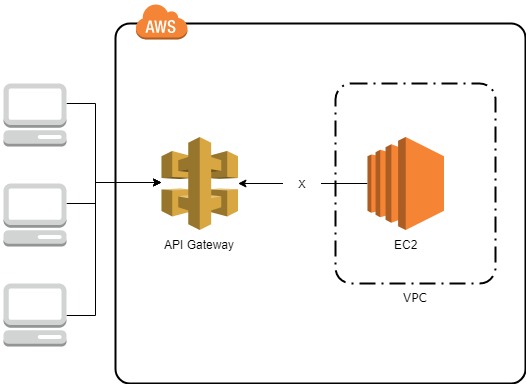
I created a new EC2 instance using the Amazon Linux 2 AMI and put it in the same VPC and subnet as the ECS instance that received the HTTP 403 response. I also created a new regional API Gateway that has one MOCK integration method that will always return a status code of 200. The API Gateway has no authorization requirements and was publicly available. The same 403 forbidden behavior was once again exhibited but this was good news. Now I knew that the application code had no impact on the observed behaviors. This meant that we could focus on triaging the networking configurations. Here is the output from calling the test API Gateway endpoint from the test EC2 instance:
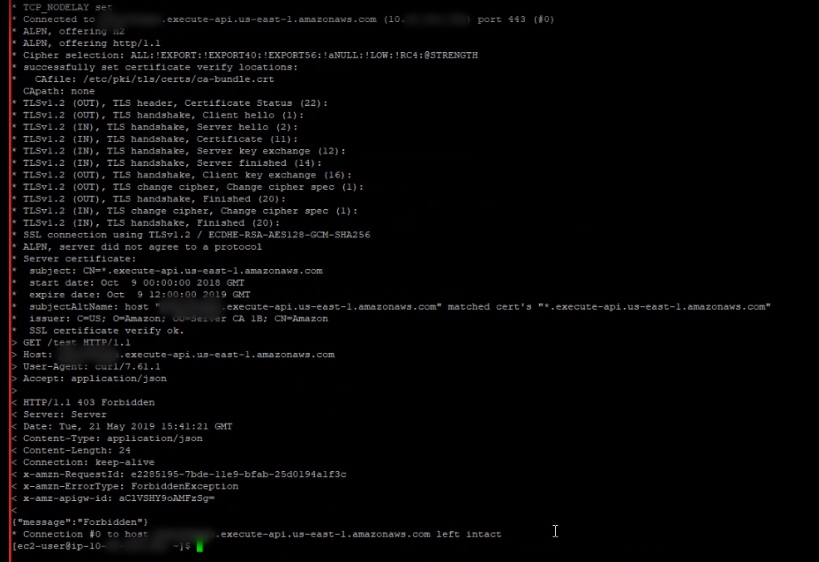
Near the bottom is the HTTP/1.1 403 Forbidden response I received from the EC2 but do you see the IP address resolved for the execute-api.us-east-1.amazonaws.com domain? Well probably not because I blurred most of it out but its at the top. You can see that the IP starts with a 10 and you may recall that the 10.0.0.0/8 CIDR block is reserved for private networking. That is significant because the API Gateway is regional and has an IP in the public namespace. A nslookup from my computer reveals:
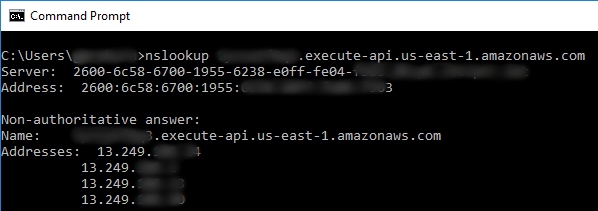
Here we received a different response than the EC2 instance. This explains why the EC2 instance might receive a forbidden reply. We can validate this theory further by overriding the DNS resolution in curl to ensure we get a HTTP 200 OK when DNS resolves properly.
curl –resolve x********9.execute-api.us-east-1.amazonaws.com:443:13.249.***.*** https://x********9.execute-api.us-east-1.amazonaws.com/test
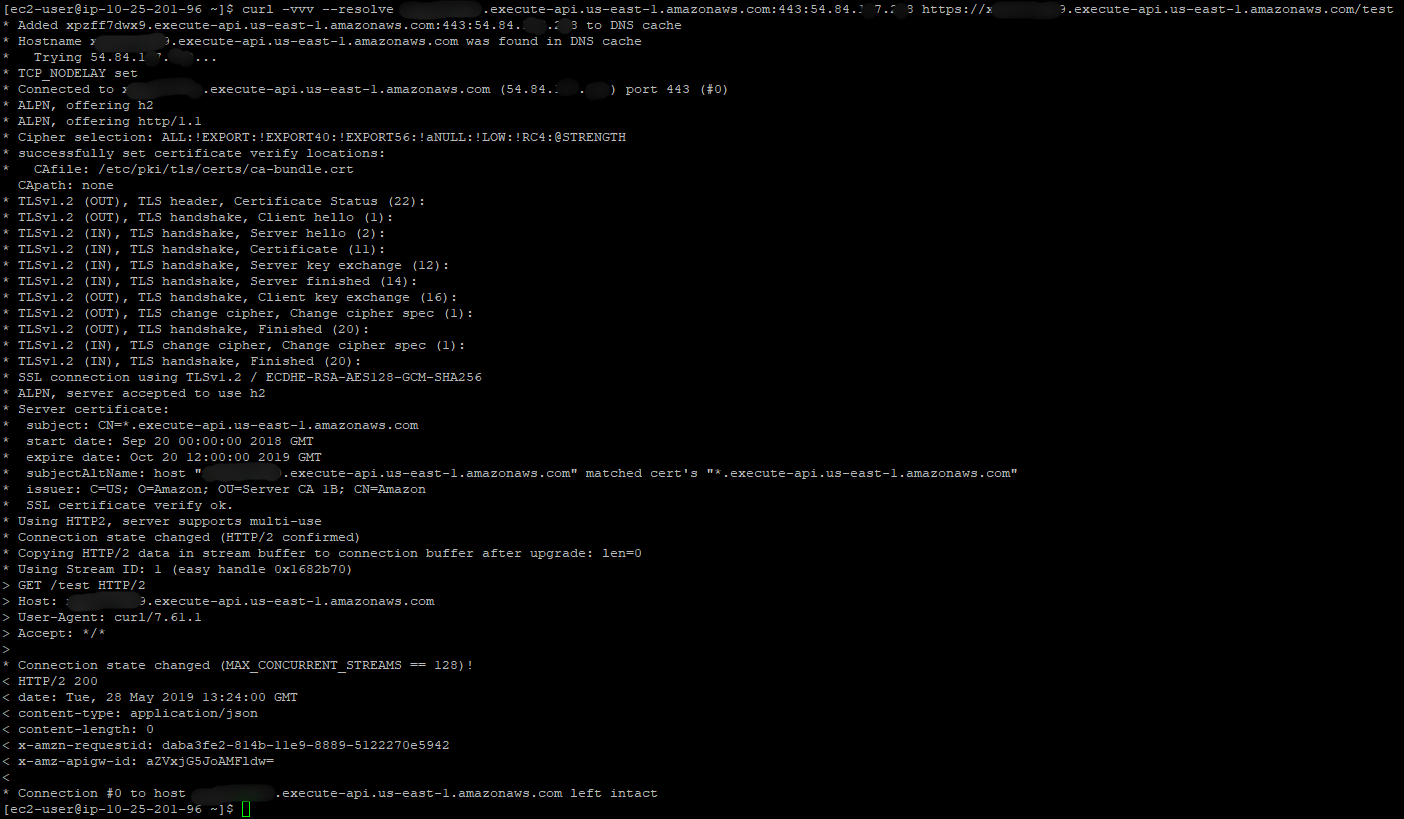
It worked! Why does the EC2 instance resolve the hostname to the wrong IP address? To answer this question, we reviewed the VPC configurations. Interestingly a VPC endpoint was created and associated with the VPC recently.
A VPC endpoint enables you to privately connect your VPC to supported AWS services and VPC endpoint services powered by PrivateLink without requiring an internet gateway, NAT device, VPN connection, or AWS Direct Connect connection. Instances in your VPC do not require public IP addresses to communicate with resources in the service. Traffic between your VPC and the other service does not leave the Amazon network.
VPC Endpoints support API Gateway integration; however, the infrastructure provisioned to route private API Gateways but not public ones. The infrastructure change was rolled back until the owning team could address the underlying problem and we validated that connectivity was restored.

 Reburn Report
Leave a comment